Research-backed reviews since 2026

Your back hurts.
Your desk is wrong.
Let's fix it.

We research, compare, and cut through the marketing noise — so you can build a workspace that actually works, without spending a fortune.

Why This Matters

Poor ergonomics costs you more than money

Your body compensates for bad desk setups in ways you don't notice — until the pain starts. Here's what's actually happening to your spine, wrists, and eyes when your workspace is wrong.

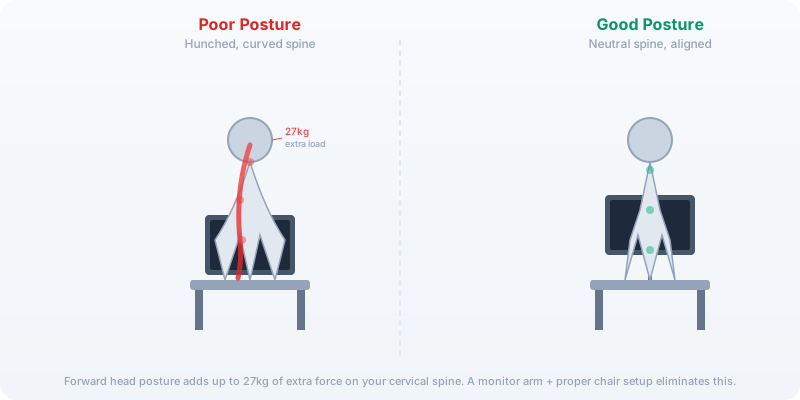
Spine alignment: correct posture vs hunched posture with force measurements
27kg extra spinal load

Your Spine Is Carrying Extra Weight

Forward head posture — the universal desk-worker pose — adds up to 27 kg (60 lbs) of extra force on your cervical spine. That's like carrying an 8-year-old on your neck all day. A monitor arm and proper chair setup eliminate this instantly.

See the research →
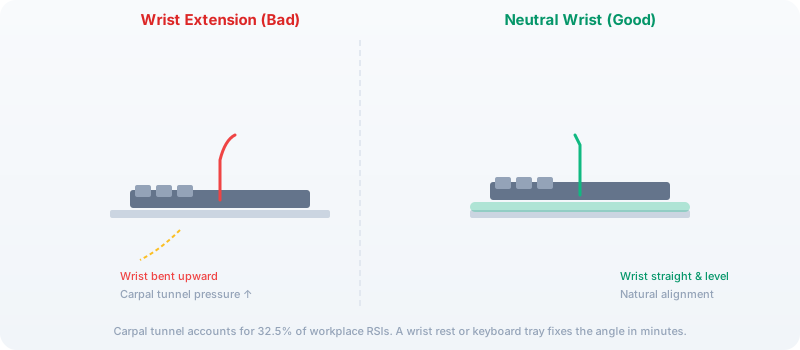
Wrist position: neutral vs extended, carpal tunnel pressure comparison
32.5% of workplace RSIs

Carpal Tunnel Is Preventable

Carpal tunnel syndrome accounts for nearly a third of all repetitive strain injuries at work. The culprit is almost always wrist extension — typing with wrists bent upward. A keyboard tray or adjustable desk fixes the angle in 5 minutes.

Find a desk with the right height range →
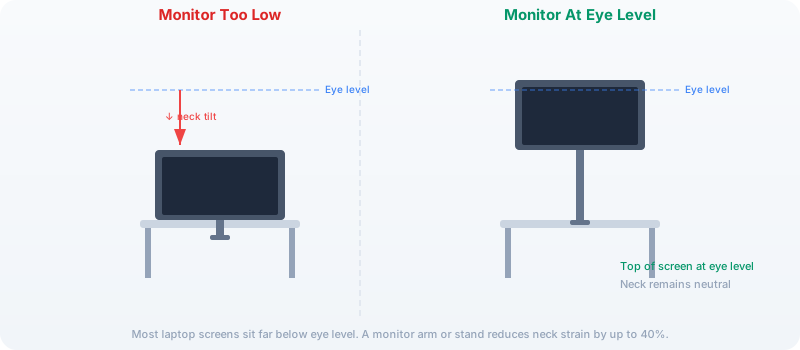
Monitor height: eye-level positioning, correct vs incorrect neck tilt
40% reduction in eye strain

Your Monitor Is Probably Too Low

Most laptop screens sit far below eye level, forcing your neck into constant flexion. The top of your screen should be at or slightly below eye level. A monitor arm or laptop stand lifts your screen to the right height and reduces neck strain by up to 40%.

See a complete ergonomic setup →
🔬

Research-First

We read the studies (JAMA, BMJ, Cochrane), not the blog posts quoting them.

💰

Budget-Conscious

A $200 well-chosen desk beats a $2,000 impulse buy. We find the value sweet spot.

🎯

No Fluff

Direct comparisons, honest verdicts, zero marketing speak. If a product is bad, we say so.

Latest Guides

Research-backed guides for your workspace

Every guide is based on primary research, real user data, and hands-on testing where possible. No AI-generated fluff. No regurgitated Amazon listings.

Our research methodology draws from

We read the studies so you don't have to. Every guide links to primary sources.

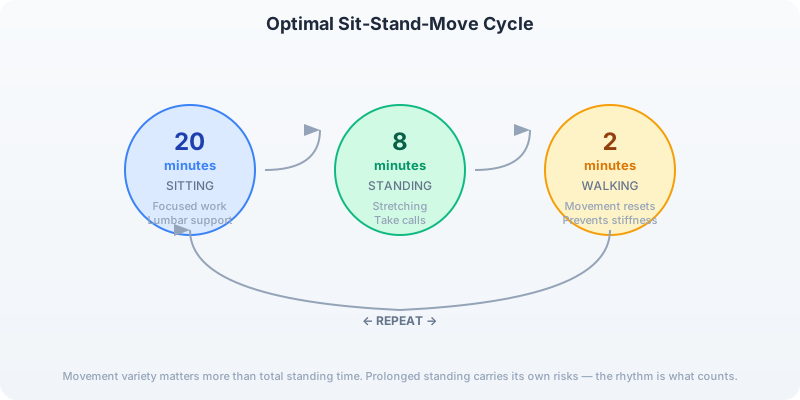
The sit-stand-sit rhythm that actually works

Prolonged sitting AND prolonged standing both cause problems. What matters is movement variety. Research suggests alternating every 20-30 minutes is the sweet spot — not "stand all day."

  • 20 min Sitting — focused work, proper lumbar support
  • 8 min Standing — stretch, take calls, light tasks
  • 2 min Walk — movement resets posture, prevents stiffness
Read the full research breakdown
Sit-stand-sit rhythm cycle: 20 min sit, 8 min stand, 2 min walk, repeat
📋

Get the latest guides

No spam, no fluff. Just honest reviews and research summaries when we publish something new. We write 2-3 in-depth guides per month.