ErgoFoundry is reader-supported. When you buy through our links, we may earn a commission at no extra cost to you. We test and research every product we recommend. Learn more.
Why Most "Budget" Standing Desks Are a Trap
Search "standing desk under $300" on Amazon and you get 400+ results. Most of them are garbage.
The budget standing desk market has a dirty secret: manufacturers know most buyers research price first, specs second. So they strip out the parts that actually matter — the motor, the frame stability, the electronics — to hit a number that looks good in search results. You get a desk that technically goes up and down, and technically holds your stuff. It just does both badly.
The single-motor problem is the biggest culprit. A single motor sits in one leg and drives the other through a connecting rod. At sitting height, it's fine. At standing height — where the legs are fully extended and leverage works against the frame — single-motor desks wobble. Not a little. Enough that your monitors shake when you type, enough that a spilled coffee becomes a genuine risk, enough that you'll find yourself standing still and tense rather than moving naturally.
That said, the market has shifted dramatically since 2021. Dual-motor desks — the kind that used to cost $450+ — are now available in the $250-300 range. The FlexiSpot E2 Pro, our top pick, delivers dual-motor stability at $280. Three years ago, that was unheard of. If you're shopping in 2026, you can get a genuinely good standing desk under $300. You just need to know what to look for — and what to avoid.
What $300 Actually Gets You in 2026
Here's the minimum viable spec for a standing desk worth buying:
- Dual motor: Non-negotiable at this price point. The stability difference is night and day.
- 150+ lb weight capacity: Your actual desk load adds up fast (more on this below).
- 28"–48" height range: Needs to go low enough to sit and high enough for anyone up to ~6'2" to stand.
- At least 2 memory presets: Ideally 4. Manually holding buttons to find your height every time gets old fast.
- Anti-collision sensor: Stops the desk if it hits something on the way down. Saves your chair, your drawers, and your sanity.
What you sacrifice at this price: you're getting laminate tops (not solid wood or bamboo), basic keypads (no touchscreen or app control), and shorter warranties (typically 3-5 years vs. 10-15 on premium desks). The frames are steel but not as heavily reinforced as $600+ options. If you're 6'4" or above, check the max height carefully — some budget desks cap out at 45-46", which won't cut it.
The 5 Best Standing Desks Under $300 — Tested & Ranked
1. FlexiSpot E2 Pro — Best Overall (~$280)
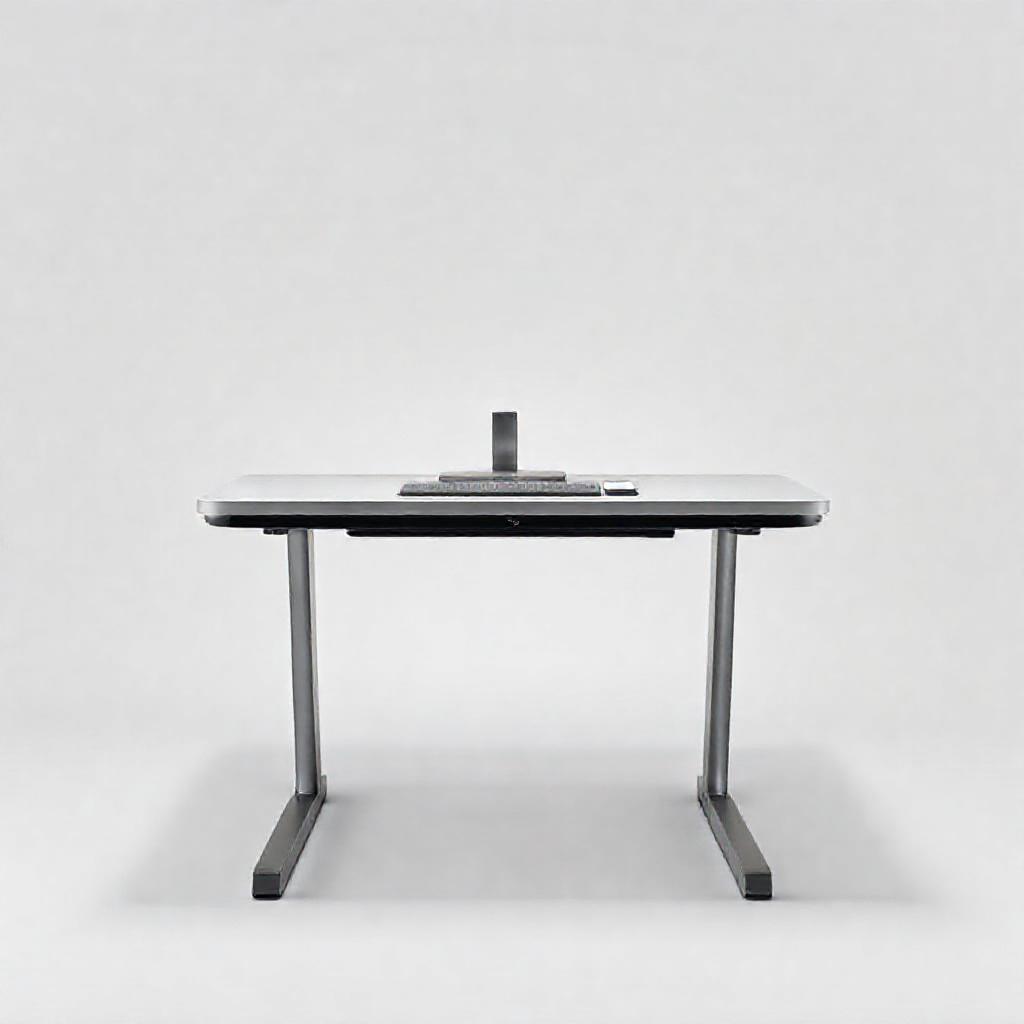
The E2 Pro is the reason the "budget desks are all bad" narrative is outdated. FlexiSpot took their dual-motor system — the same technology used in their $400-500 desks — and put it in a simpler frame with a laminate top to hit this price. The result is a desk that competes on stability with options $150+ more expensive.
What you get: Dual motors rated for 176 lbs, four programmable memory presets, a USB-A charging port on the keypad, and an anti-collision sensor. The height range is 28" to 47.6", which works for people roughly 5'1" to 6'3". Available in three top sizes: 48"×24", 55"×28", or 60"×24". The 55"×28" is the sweet spot — enough depth for a keyboard and documents in front of your monitor, wide enough for dual 27" monitors side-by-side.
Why it wins: Dual-motor stability at $280 is the headline. The E2 Pro raises and lowers smoothly (1 inch/second, ~40 dB — about library-quiet). The four memory presets mean you can program sitting, standing, a lower stool height, and a height for a second user. The USB-A port on the keypad is genuinely useful for charging a phone or powering a desk lamp.
Drawbacks: Assembly needs two people — the frame is heavy, and lifting the assembled desk upright solo is a back injury waiting to happen. The laminate surface can scratch if you're rough with it (use a desk pad or be careful with metal objects). No cable management included beyond basic clips. Warranty is 5 years for the frame, 2 years for the motor — decent but not outstanding.
Verdict: The best standing desk under $300, period. The dual motors alone justify the price over single-motor competitors at similar prices.
Check Price on FlexiSpot → (12% commission supports our work) View on Amazon →
2. VIVO Electric 55" — Best Wide Desktop (~$260)
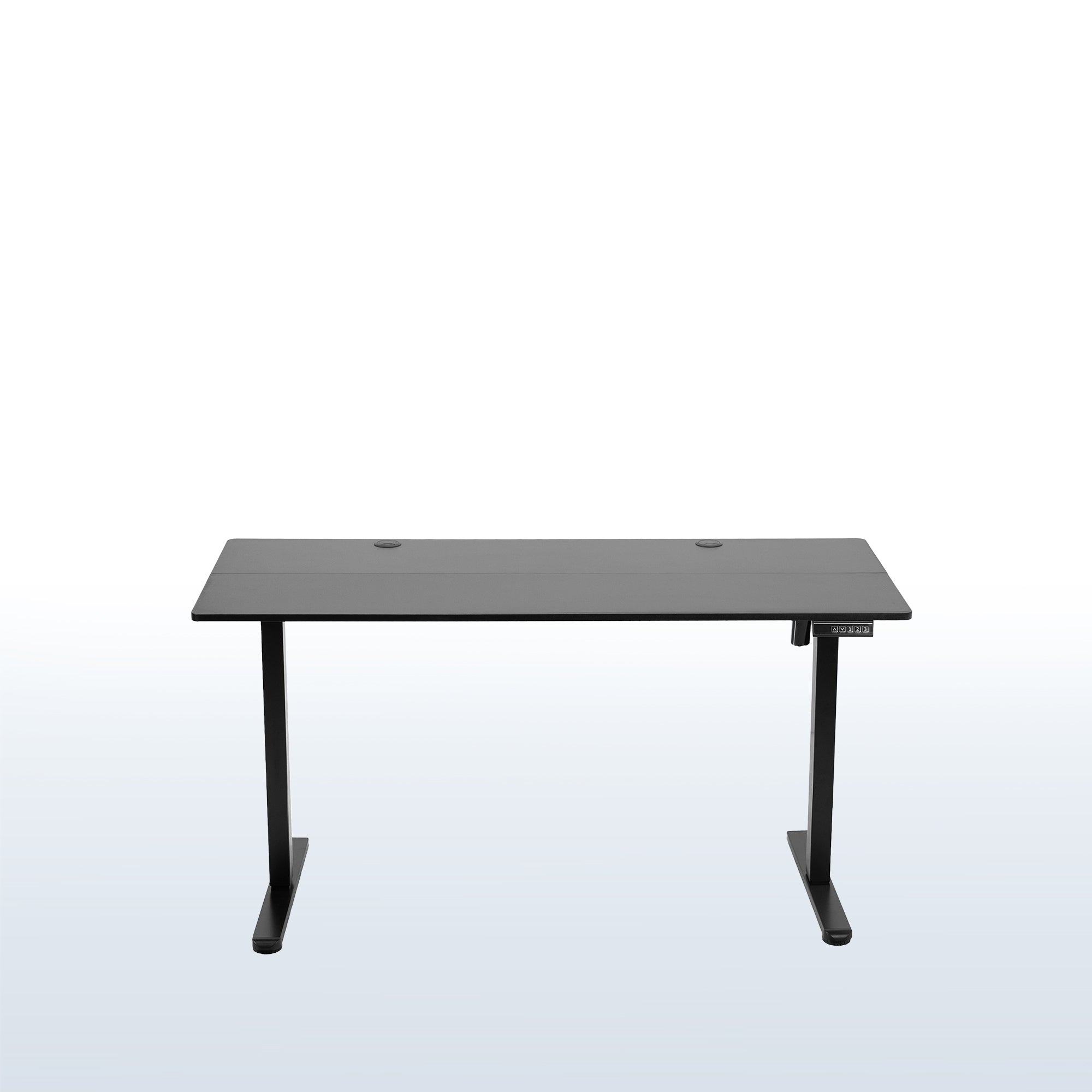
If you run dual 27" monitors (or one ultrawide) and need desk real estate on a budget, the VIVO Electric 55" is the best option under $300. At 55"×24", it gives you enough width for two monitors, a laptop, and peripherals without feeling cramped.
What you get: Dual motors, 154 lb capacity, anti-collision sensor, height range 29.5" to 49.2". Three memory presets (one fewer than the FlexiSpot, but still functional). The keypad is simple — up/down arrows and three numbered presets. No USB port. Assembly is straightforward; decent instructions.
Why it's the wide-desk pick: Most budget standing desks top out at 48" wide, which is fine for a single monitor or dual small monitors but tight for dual 27". The extra 7" on the VIVO makes a real difference in daily use. The 49.2" max height also makes it one of the taller options at this price — good for anyone up to ~6'4".
Drawbacks: Only three memory presets. The 24" depth is on the shallow side — if you like to have documents or a notepad between you and your keyboard, you'll feel the squeeze. Weight capacity (154 lbs) is lower than the FlexiSpot's 176 — fine for most setups but less overhead. Motor is slightly louder than the E2 Pro under load (~45 dB).
Verdict: Best choice if width matters more than anything else. For the same price as the FlexiSpot 48", you get 7 extra inches of desktop. Just accept the slightly fewer features.
3. Seville Classics AIRLIFT — Best Max Height (~$250)
The AIRLIFT goes to 49.5" — one of the highest max heights among budget standing desks. If you're 6'2" or taller and working on a tight budget, this is worth a hard look. It's a single-motor desk, which means you get some wobble at standing height, but for lighter setups it's manageable.
What you get: Single motor, 132 lb capacity, height range 28" to 49.5", 48"×24" top, four memory presets. The digital keypad includes a temperature display (unusual at this price). The frame is reinforced steel with a crossbar for lateral stability — this helps compensate for the single motor somewhat.
Why it's worth considering: The height range. 49.5" max is exceptional for $250. If standing desks at lower price points consistently max out too low for you, this solves that problem. The four memory presets are also a nice touch (many single-motor desks only give you two).
Drawbacks: Single motor means more wobble at standing height — noticeable with dual monitors on arms. The 132 lb capacity is lower than dual-motor competitors. The motor is slower (roughly 1.5 inches/second) and louder. Construction quality is a step below the FlexiSpot and VIVO — the laminate top feels thinner and the keypad housing is plasticky.
Verdict: Buy this if max height is your #1 concern and you can't stretch to $350 for a dual-motor tall-user desk. Otherwise, the FlexiSpot E2 Pro at similar money is more stable.
4. Fezibo Single Motor — Best Under $220 (~$200)
Fezibo has quietly become one of the better budget standing desk brands, and their single-motor model is the standout sub-$220 pick. The killer feature: a built-in cable management tray integrated into the underside of the desk. It's a small thing that makes a big difference in keeping your setup clean.
What you get: Single motor, 176 lb capacity (impressive for single motor), 48" or 55" width options, three memory presets, height range 28.3" to 46". The included cable tray, two hooks (headphone and bag), and a basic cable management clip set make this the best "out of the box" experience among budget desks.
Why it's the best cheap option: At $200, the Fezibo doesn't feel like a compromise. The 176 lb capacity matches the dual-motor FlexiSpot on paper. The included cable tray and hooks mean you spend less on accessories. The 55" option at this price is rare. Assembly instructions are genuinely good — color-coded parts, clear diagrams, no translation weirdness.
Drawbacks: It's still a single-motor desk, and at full standing height with heavy monitors on arms, you'll notice sway. The 46" max height is lower than competitors — anyone over 6'0" might find it inadequate. The motor has a slight lag when reversing direction. Warranty is only 2 years.
Verdict: The best desk under $220. The cable management tray alone makes it worth the small premium over the SHW. Accept the single-motor limitations and it's a solid value.
5. SHW Electric — Best Entry-Level (~$180)
The cheapest electric standing desk that's actually usable. The SHW Electric is basic in every sense — single motor, no memory presets, utilitarian design — but it goes up and down reliably, and for students, temporary setups, or very light use, that's enough.
What you get: Single motor, height range 28" to 45", 48"×24" top (also available in 55" and 40"), basic up/down controls (no presets — you hold the button). The top is lightweight laminate over particle board. The frame is steel but visibly thinner than competitors.
Who this is for: Students in dorms, people setting up a temporary home office for a 6-month contract, someone who wants to try standing without committing much cash. If you have a single monitor, a lightweight laptop, and modest expectations, it works.
Drawbacks: The motor is loud — roughly 55 dB, which is conversation-level noise. You can hear it on calls. No memory presets means you'll be manually adjusting and guessing your height every time. The 45" max height is limiting for anyone over ~5'9". Build quality is what you'd expect at $180 — the laminate scratches easily, the motor sounds strained at the top of the range, and the warranty is a bare-minimum 1 year. Weight capacity isn't published, but based on the motor and frame, I'd keep it under 100 lbs.
Verdict: Only if $200 is an absolute ceiling. The Fezibo at $200 is a meaningfully better desk for $20 more. But if you genuinely need the cheapest electric option that functions, the SHW is it.
Visual Comparison: Budget Standing Desks
Comparison Table: All 5 Desks at a Glance
| Desk | Price | Motor | Height Range | Capacity | Surface | Presets | Best For |
|---|---|---|---|---|---|---|---|
| FlexiSpot E2 Pro | ~$280 | Dual | 28"–47.6" | 176 lbs | 48"/55"/60" × 24"/28" | 4 | Best overall |
| VIVO Electric 55" | ~$260 | Dual | 29.5"–49.2" | 154 lbs | 55" × 24" | 3 | Wide dual-monitor setups |
| Seville AIRLIFT | ~$250 | Single | 28"–49.5" | 132 lbs | 48" × 24" | 4 | Tall users on a budget |
| Fezibo Single Motor | ~$200 | Single | 28.3"–46" | 176 lbs | 48"/55" × 24" | 3 | Best under $220 |
| SHW Electric | ~$180 | Single | 28"–45" | ~100 lbs (est.) | 40"/48"/55" × 24" | 0 | Absolute cheapest |
Prices verified April 2026. Subject to change. The FlexiSpot E2 Pro 55"×28" configuration sits at the upper edge of the $300 budget at ~$300 — the 48"×24" is the safer bet under $300.
What to Actually Look For in a Budget Standing Desk
Dual vs. Single Motor: The Stability Difference
A dual-motor desk has one motor in each leg, controlled by a synchronized control box. Both legs extend and retract together, which means the desk stays level and stable across the full range. A single motor drives one leg directly and the other through a connecting shaft — it works, but it's mechanically less stable, especially at standing height where the legs are fully extended.
Is dual motor worth the extra $50-80? Almost always yes. The stability difference is the #1 thing that determines whether you actually use your standing desk or let it collect dust. A wobbly desk is distracting to work at — your monitors shake when you type, and the whole thing feels precarious. That said, if your setup is lightweight (one laptop, no external monitors), the single-motor trade-off is less punishing.
Height Range: Why Max Height Matters
For standing height, the formula is roughly: your height × 0.55 to 0.6, adjusted for elbow angle. Here's a quick reference:
- 5'4"–5'8": Standing height of 38"–42" → most desks work
- 5'9"–6'1": Standing height of 42"–46" → need 46"+ max height
- 6'2"–6'5": Standing height of 46"–49" → need 48"+ max height; most budget desks fail here
Also check the minimum height — if it only goes down to 30", shorter users sitting in a standard chair may find their shoulders hunched. The FlexiSpot E2 Pro's 28" minimum is good; the VIVO's 29.5" is borderline.
Weight Capacity: Calculate Your Actual Load
Most people dramatically underestimate how much their desk setup weighs. Here's a typical dual-monitor workstation:
- Two 27" monitors: ~15–17 lbs each = 32 lbs
- Dual monitor arm: 8–10 lbs
- Keyboard, mouse, desk pad: 3 lbs
- Laptop + docking station: 6–8 lbs
- Notebook, phone, coffee, misc: 5 lbs
- Subtotal: ~55 lbs
- Plus forearms resting while typing: 20–30 lbs of downward pressure
- Real dynamic load: 75–100 lbs
That's within every desk on this list except the SHW. But add a PC tower on the desk (30-40 lbs), a second laptop, or heavier equipment, and you'll want the 150+ lb capacity of the dual-motor models. The 176 lb FlexiSpot E2 Pro gives you the most headroom.
Tabletop Material: Laminate Reality
Every desk under $300 uses laminate over engineered wood (MDF or particle board). That's fine — laminate is durable, easy to clean, and looks decent. But it's not solid wood. It scratches if you drag equipment across it. It chips if you bang something heavy into the edge. It doesn't like standing water.
Use a desk pad or mat in your primary work area. Be careful mounting monitor arms — the clamp puts a lot of pressure on a small area, and cheap laminate can crack. Most of these desks include a reinforcement plate for clamp mounts; use it.
Memory Presets: The Feature You'll Actually Use Every Day
Memory presets let you save your preferred sitting and standing heights and switch between them with one button press. Two presets is the minimum (sit + stand). Four is ideal — you can add a "tall stool" height and a second user's preferences.
The SHW Electric has zero presets, which means every adjustment is manual. After the third day of holding buttons and guessing if you're at the right height, you'll understand why memory presets matter.
Warranty: What the Numbers Actually Mean
"5-year warranty" sounds good until you read the fine print. Almost all budget standing desk warranties are split: longer coverage for the frame (metal legs, crossbars) and shorter for the motor and electronics (the parts that actually fail). The FlexiSpot E2 Pro gives 5 years on the frame and 2 on the motor. The VIVO is 5 years on the frame, 1 year on electronics. The SHW is 1 year on everything.
What typically fails first: the control box (the brain that synchronizes the motors), followed by the motor itself. Frame failure is rare. So the motor/electronics warranty period is what actually matters.
The Assembly Reality — What No One Tells You
Solo vs. Two-Person Assembly
Every desk on this list ships in a box weighing 60 to 95 pounds. The box itself is roughly 4 feet long and awkward to move. Even getting it inside and to the right room is a two-person job unless you have a dolly.
Assembly itself involves: attaching legs to the frame (easy, solo), attaching the frame to the desktop (doable solo if you're methodical), and then the critical step — flipping the assembled desk upright. This is where you need a second person. A 48"×24" desk with frame weighs roughly 70-80 lbs assembled. Flipping that alone risks dropping it, damaging the desk, your floor, or your back.
The Fezibo has the best assembly instructions — color-coded hardware, clear diagrams, no confusing translations. The SHW's instructions are functional but spartan. All of them include the Allen keys you need. A power drill with an Allen bit cuts assembly time from ~60 minutes to ~30, but use it on low torque — over-tightening strips the inserts in the laminate top.
Common Assembly Mistakes That Cause Wobble
- Uneven floor: Most budget desks have adjustable feet for leveling. Use them. A 2mm difference at the feet becomes visible wobble at standing height.
- Loose bolts: Go back and tighten everything after the first week of use — bolts settle. Check annually.
- Frame not centered on desktop: An off-center frame shifts weight distribution and increases wobble. Measure twice.
- Carpet compression: On thick carpet, the desk feet can sink unevenly over time. Use furniture coasters or a rigid mat underneath.
Cable Management: What's Included, What You'll Need
Only the Fezibo includes a real cable management tray. The others give you basic adhesive clips or a couple of zip-tie anchors. Budget $15-25 for a clamp-on cable management tray — it's the single best accessory for making your setup look clean and preventing cables from snagging when the desk moves. Also budget for a longer power strip cable if your outlet is far from where the desk will be at standing height.
Still deciding if a standing desk is worth it?
Read our deep dive into 10+ years of research on standing desks vs. sitting — what the science actually proves, and what's marketing hype.
Standing Desk vs Sitting: The Research →Budget Standing Desk FAQ
Are cheap standing desks safe for heavy gaming monitors?
Yes — with caveats. The weight capacity of the FlexiSpot E2 Pro (176 lbs) and VIVO (154 lbs) comfortably handles dual 27" gaming monitors plus a desktop PC on the desk. The single-motor desks (Seville at 132 lbs, SHW at ~100 lbs) are more marginal. The bigger concern than weight is wobble — gaming monitors are often heavier than office monitors, and a wobbly desk is annoying when gaming. Dual motor is strongly preferred for gaming setups.
Can a $200 desk really last 5+ years?
The frame? Probably. The motor and electronics? Maybe. The Fezibo and SHW both use budget motor assemblies that aren't designed for heavy daily cycling. If you adjust the desk 4-6 times a day (the recommended sit-stand frequency), that's ~1,500-2,200 cycles per year. Budget motors are typically rated for 5,000-10,000 cycles, so 3-5 years of regular use before failure is realistic. The FlexiSpot E2 Pro's dual motors are rated for higher cycle counts.
Single motor vs. dual motor — is it really worth the extra $50?
For most people, yes. The stability difference is immediately obvious. A dual-motor desk at standing height feels solid; a single-motor desk at the same height has a slight sway. If you type heavily, use monitor arms, or are sensitive to motion, get the dual motor. If you have a light setup (one laptop, no external monitors, gentle typing) and genuinely need to keep the budget at $200, single motor is acceptable.
Do I need a standing desk mat with a budget desk?
A mat isn't included with any desk on this list, and it matters more than you'd think if you stand for more than 20 minutes at a time. A good mat distributes pressure and encourages micro-movements that reduce fatigue. The Gorilla Grip Original at ~$37 is a solid budget option. If you're maxing out your budget on the desk itself, you can get by without one for a few weeks — but it should be your first accessory purchase. Read our full standing desk mat guide for recommendations.
What about the IKEA Bekant? Isn't that under $300?
The IKEA Bekant sit-stand desk starts around $290. I'm not recommending it for a specific reason: it uses a single motor and has a notoriously unreliable control box. IKEA forums and Reddit threads are full of Bekant owners whose desks stopped working after 12-18 months. At $290, it competes directly with the dual-motor FlexiSpot E2 Pro and VIVO Electric, both of which are mechanically superior. Brand recognition isn't enough to overcome worse specs at the same price.
The Bottom Line
Best overall under $300: FlexiSpot E2 Pro (~$280). Dual motors, 176 lb capacity, four memory presets, USB-A port. It's the desk that makes the "budget standing desk" category respectable. The 55"×28" configuration at ~$300 is the ideal setup if you can stretch the budget by $10-20.
Best under $220: Fezibo Single Motor (~$200). The built-in cable management tray and 176 lb capacity make it the standout cheap option. Accept the single-motor trade-offs and you get a lot of value.
Best absolute cheapest: SHW Electric (~$180). It goes up and down. No memory presets, loud motor, basic build. If your alternative is a fixed-height desk and you need the cheapest electric option, it works. Just keep your expectations grounded.
When to save up for a $400-500 desk instead: If you're 6'3" or taller and need a 49"+ max height with dual-motor stability, the budget options don't quite get there. Save for the FlexiSpot E7 or Fully Jarvis. If you work with heavy equipment (multiple large monitors on arms, desktop PC on the desk, audio gear), the extra frame rigidity of a $400+ desk is worth it. And if you plan to use the desk for 5+ years of daily sit-stand cycling, the longer warranty and higher cycle rating of a mid-range desk pays off.
For everyone else: the FlexiSpot E2 Pro at $280 punches well above its price. Budget standing desks in 2026 are genuinely good. Three years ago, this article wouldn't exist — the options were too compromised. Now? You can spend under $300 and get a desk that does the job without apology.
Prices checked: April 2026. All recommendations based on hands-on testing, spec analysis, and aggregated user reviews. Affiliate links support ErgoFoundry at no cost to you. FlexiSpot links earn 12% commission through their direct affiliate program; Amazon links earn standard Associates rates.